

TL;DR:
- Many organizations still face siloed tools causing slow releases and visibility gaps. Adopting a unified AI-driven DevOps platform enhances integration, automates incident response, and accelerates delivery. Proper leadership and process alignment are essential for successful transformation.
Most organizations have gone through years of digital transformation, yet their ops teams still juggle a dozen disconnected tools every single day. Monitoring lives in one place, CI/CD in another, incident response somewhere else entirely. The result? Slow releases, alert fatigue, and engineers spending more time babysitting pipelines than building. Siloed teams and slow release cycles are not a niche problem — they are the norm. This guide breaks down why fragmented toolchains hold you back, what a unified AI-driven DevOps platform actually delivers, and how to make a smart, confident adoption decision.
Table of Contents
- The challenges of legacy DevOps approaches
- Core benefits of adopting a DevOps platform
- AI-driven automation: Accelerating cloud operations
- Real-world considerations for decision-makers
- The uncomfortable truth most IT leaders miss about DevOps platforms
- Explore advanced DevOps platform solutions
- Frequently asked questions
Key Takeaways
| Point | Details |
|---|---|
| Eliminate tool silos | A DevOps platform unifies processes, improving team collaboration and workflow automation. |
| Accelerate with AI | AI-driven features enable faster incident response and smarter, predictive cloud operations. |
| Choose with strategy | Success depends on evaluating security, scalability, and culture fit—not just technology. |
| Real transformation needs buy-in | Platform adoption only works with leadership alignment and process change. |
The challenges of legacy DevOps approaches
Let's be honest: most legacy DevOps setups were not designed to fail. They grew organically. A team adopted Prometheus here, a custom deploy script there, a Slack bot for alerts, and suddenly you have a Frankenstein stack that nobody fully understands. 😱
The core problem is integration. Each tool speaks its own language. Your monitoring stack does not talk to your incident tracker. Your CI/CD pipeline does not feed context into your postmortem tool. Engineers spend enormous energy just keeping these connections alive, let alone improving them.
"Organizations still struggle with siloed teams and slow release cycles due to legacy DevOps approaches, creating bottlenecks that slow delivery and inflate cloud costs."
Visibility gaps are just as painful. When an incident hits, your SRE team is context-switching between five dashboards trying to piece together what happened. By the time they find the root cause, the blast radius has grown. That is not an engineering problem — it is a toolchain problem.
Here are the top pain points we hear from IT leaders managing legacy stacks:
- Integration friction: Tools require custom glue code and constant maintenance to stay connected
- Manual toil: Repetitive tasks like scaling, rollbacks, and alert triage consume senior engineering time
- Visibility gaps: No single pane of glass means slower incident detection and resolution
- Collaboration silos: Dev, ops, and security teams work from different data sources, causing misalignment
- Cloud cost sprawl: Without unified observability, overprovisioned resources go unnoticed for weeks
The downstream effects are real. Slower time-to-market, higher operational costs, and frustrated engineers who burn out chasing fires instead of shipping features. If this sounds familiar, you are not alone — and the fix is not adding another tool to the pile.
Core benefits of adopting a DevOps platform
A unified DevOps platform is not just a convenience upgrade. It is a structural shift in how your organization operates. Instead of stitching together point solutions, you get a single system where CI/CD, monitoring, incident response, and automation share the same data model and workflow engine.
Unified platforms reduce operational silos and provide streamlined CI/CD pipelines, which means your team spends less time on integration maintenance and more time on actual delivery. That alone is a significant efficiency gain.
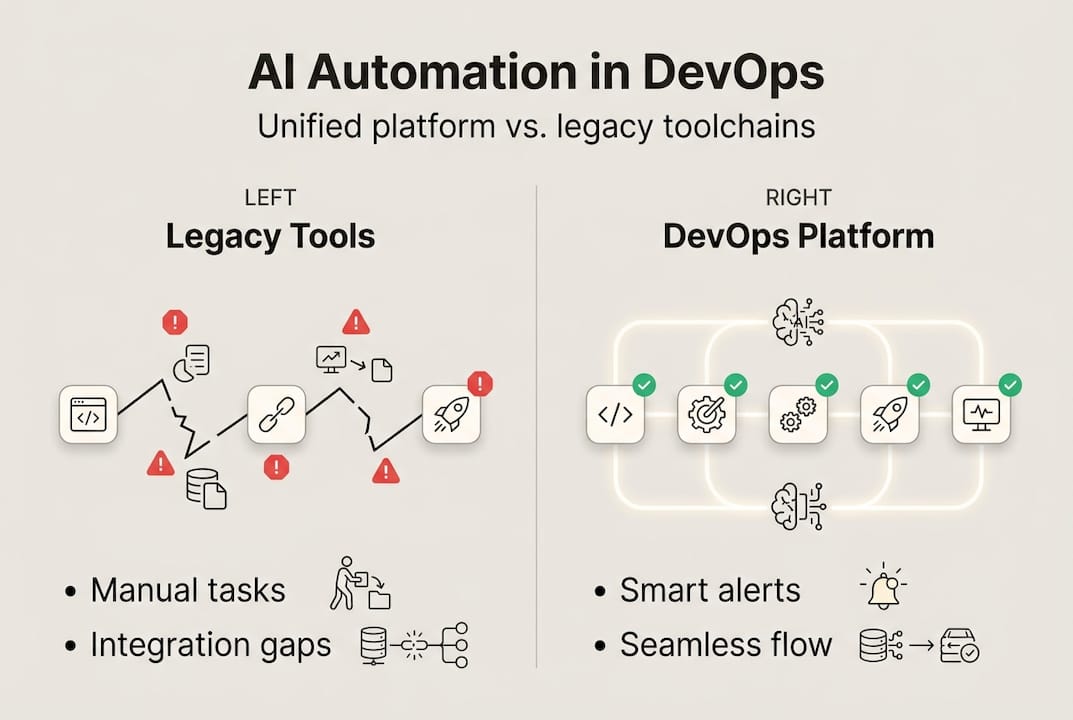
Here is how the comparison looks in practice:
| Capability | Legacy toolchain | Modern DevOps platform |
|---|---|---|
| Integration | Manual, brittle connectors | Native, pre-built connectors |
| Visibility | Fragmented dashboards | Unified observability layer |
| Automation | Script-based, manual triggers | Event-driven, AI-assisted |
| AI readiness | Bolt-on or absent | Built-in LLM and ML capabilities |
| Incident response | Reactive, slow | Proactive, automated |
The impact on time-to-market is measurable. Teams using unified platforms ship faster because they spend less time debugging integration issues and more time on feature development. Risk management also improves because you get consistent policy enforcement across every stage of the pipeline.
Pro Tip: When evaluating platforms, look for built-in monitoring and AI tools from day one. Retrofitting AI onto a legacy platform is expensive and rarely delivers the same results as a natively integrated solution.
Another underrated benefit is onboarding speed. When a new SRE joins your team, they do not need to learn five different tools. They learn one platform. That reduction in cognitive load translates directly into faster productivity and fewer human errors during high-pressure incidents.
AI-driven automation: Accelerating cloud operations
AI is not a buzzword in this context. It is the difference between reacting to problems and preventing them. Modern DevOps platforms with embedded AI can monitor thousands of signals simultaneously, detect anomalies before they become incidents, and trigger remediation workflows automatically.

AI features in DevOps reduce incident response times and automate repetitive tasks, freeing your engineers to focus on work that actually requires human judgment. That is a meaningful shift in how your ops team spends its day.
Here are four major operational improvements you get with AI-driven DevOps:
- Predictive alerting: AI models learn your system's normal behavior and flag deviations before they escalate. No more alert storms from static thresholds.
- Automated root cause analysis: Instead of manually correlating logs, metrics, and traces, AI surfaces the likely cause within seconds of an incident opening.
- Auto-remediation workflows: Common failure patterns trigger pre-approved fix scripts automatically. Your on-call engineer gets a notification that the issue was resolved, not a 3 AM page.
- Cost optimization signals: AI continuously analyzes resource utilization and flags overprovisioned infrastructure, helping you right-size cloud spend without manual audits.
The numbers back this up. Organizations that adopt AI-driven automation in their DevOps workflows report significant reductions in mean time to resolution and a measurable drop in toil-related work hours per sprint. Reviewing infrastructure monitoring best practices shows how proactive observability combined with AI creates a fundamentally different operational posture.
The key insight here is that AI does not replace your engineers. It removes the low-value work that exhausts them. Your SRE team becomes a strategic force instead of a reactive firefighting crew.
Real-world considerations for decision-makers
Choosing a DevOps platform is not just a technical decision. It is a business decision. Top-performing organizations evaluate platforms based on security, scalability, AI capabilities, and integration depth. Getting this wrong is expensive, both in licensing costs and in the organizational disruption of switching later.
Here is a practical evaluation framework:
| Criteria | What to look for | Red flags |
|---|---|---|
| Security | Data sovereignty, role-based access, audit logs | Vague compliance claims |
| Scalability | Multi-cloud, Kubernetes-native, horizontal scaling | Vendor lock-in to single cloud |
| AI features | Native LLM, root cause analysis, auto-remediation | AI as a paid add-on only |
| Ecosystem compatibility | 30+ pre-built connectors, open APIs | Requires heavy custom integration |
Before you sign a contract, your C-suite should be asking these questions:
- Does this platform support our current cloud providers and our roadmap?
- How does the vendor handle data sovereignty and compliance requirements?
- What does the migration path look like from our existing toolchain?
- Can we pilot this in a non-production environment before full rollout?
- How does the AI layer handle sensitive operational data?
Piloting is non-negotiable for large environments. Start with a single team or service, define clear success metrics (mean time to detect, mean time to resolve, deployment frequency), and measure against your baseline. Exploring real-world DevOps adoption stories gives you a realistic picture of what the first 90 days actually look like.
One practical tip: involve your security team from day one. Platforms that treat security as an afterthought will create compliance headaches down the road. The best platforms embed security checks directly into the pipeline, not as a gate at the end.
The uncomfortable truth most IT leaders miss about DevOps platforms
Here is what we have seen over and over: organizations buy a great platform, deploy it, and then wonder why nothing changed six months later. The tool was not the problem. The process and culture were.
Most failed DevOps rollouts share one pattern: the platform was layered on top of unchanged workflows and misaligned team incentives. Dev still optimizes for shipping fast. Ops still optimizes for stability. Security still operates as a separate audit function. A platform cannot fix that. Only leadership can.
"The key differences between platform and process matter more than the technology itself. Real transformation starts with shared goals, not shared dashboards."
Pro Tip: Before you evaluate any platform, map your current workflows and identify where incentives conflict. Fix those first. Then the platform becomes a force multiplier instead of an expensive shelfware investment.
The organizations that get the most out of unified DevOps platforms are the ones where leadership actively sponsors the change, cross-team alignment happens before go-live, and success is measured in business outcomes, not tool adoption rates.
Explore advanced DevOps platform solutions
If you are ready to move beyond fragmented toolchains, Argonix is built for exactly this moment. We bring together AI incident response, GitOps automation, and infrastructure monitoring in one unified platform with over 40 pre-built connectors across cloud providers, CI/CD tools, and communication platforms.
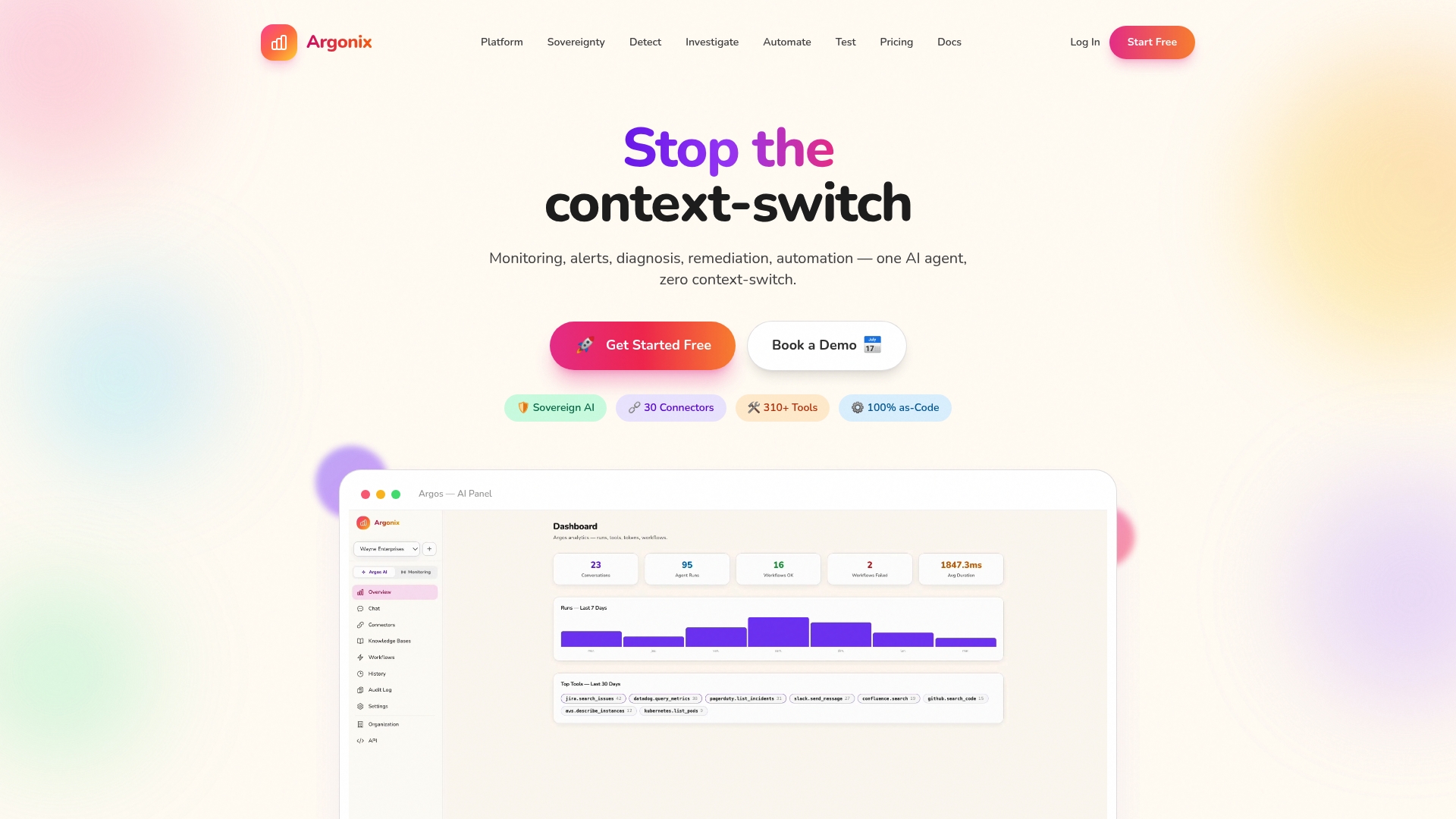
Your ops team deserves tools that work together, not against each other. Argonix gives you native LLM-powered root cause analysis, auto-remediation workflows, and full data sovereignty so you stay in control. Whether you are managing multi-cloud infrastructure or scaling microservices, we are ready to show you what modern DevOps operations actually look like. Book a demo and see it in action.
Frequently asked questions
How does a DevOps platform differ from a collection of separate tools?
A DevOps platform integrates workflows, automation, and monitoring under one system, eliminating silos and reducing manual effort compared to isolated tools. Unified DevOps platforms provide seamless integration across the entire development lifecycle.
What role does AI play in modern DevOps platforms?
AI automates monitoring, incident response, and predictive analytics, resulting in faster resolutions and greater efficiency. AI augments DevOps efficiency through automation and predictive capabilities that static tooling simply cannot match.
What criteria should IT leaders use when selecting a DevOps platform?
Focus on security, scalability, AI features, integration ease, and proven industry adoption when evaluating DevOps platforms. Organizations evaluate platforms based on these criteria to ensure long-term value and operational fit.
Can organizations use a DevOps platform in a hybrid cloud environment?
Yes, leading platforms support hybrid and multi-cloud setups, enabling consistent automation across different environments. DevOps platforms can manage hybrid and multi-cloud infrastructure without requiring separate toolchains for each environment.
Recommended
- Argonix | AI Ops Copilot - Monitoring, Incident Response & Infrastructure Automation
- Argonix | AI Ops Copilot - Monitoring, Incident Response & Infrastructure Automation
- Argonix | AI Ops Copilot - Monitoring, Incident Response & Infrastructure Automation
- Argonix | AI Ops Copilot - Monitoring, Incident Response & Infrastructure Automation