

TL;DR:
- Only 23% of organizations fully integrate automation into service delivery, leading to high manual effort.
- Effective automation requires redesigning workflows with AI-driven orchestration, self-healing, and continuous improvement.
- Proper automation reduces costs, improves resource utilization, and enhances proactive multi-cloud operations.
Most IT leaders will tell you their organization is "heavily automated." The reality? Only 23% of organizations actually integrate automation into service delivery, and a staggering 67% of network activity remains manual. That gap between perception and practice is exactly where operational costs spiral, incidents pile up, and engineering teams burn out. If your multi-cloud environment still relies on manual provisioning, fragmented dashboards, and heroic on-call engineers, you are not alone. This guide breaks down what automation workflows really are, what makes them effective, and how to use them to get genuine, measurable efficiency gains.
Table of Contents
- Why automation workflows matter in multi-cloud environments
- 🔩 Core components: What makes an automation workflow effective?
- 📊 Performance impact: Real-world data on efficiency gains
- 🤖 Intelligent orchestration: From automation to agentic workflows
- The uncomfortable truth: Automation workflows require reinvention, not incremental change
- 🚀 Next steps: Unlocking automation success with Argonix
- Frequently asked questions
Key Takeaways
| Point | Details |
|---|---|
| Automation integration gap | Most organizations lack widespread automation, leading to inefficiencies and silos. |
| AI-driven workflow advantages | Dynamic, agentic workflows enable self-healing, machine-speed scaling, and efficient orchestration. |
| Empirical performance boost | Automation workflows yield measurable gains, including higher resource utilization and reduced cost. |
| Beyond scripts: workflow redesign | Real impact requires transforming end-to-end workflows, not just automating isolated tasks. |
| Continuous improvement essential | Embedding observability and security ensures automation stays effective and avoids operational drift. |
Why automation workflows matter in multi-cloud environments
Running workloads across AWS, GCP, and Azure simultaneously sounds powerful. And it is. But it also introduces a level of operational complexity that quickly overwhelms teams relying on manual processes and disconnected tools.
Think about it this way: every cloud provider has its own console, its own API quirks, and its own monitoring setup. Without automation, your ops team is manually stitching these together. That is not a workflow. That is a liability.
Here is what multi-cloud complexity typically looks like in practice:
- 🔴 Manual network provisioning that takes hours and introduces human error at every step
- 🔴 Inconsistent compliance enforcement across cloud environments because policies live in different tools
- 🔴 Fragmented monitoring where each team uses a different dashboard and no one has a unified view
- 🔴 Reactive incident response instead of proactive detection and remediation
- 🔴 Cost overruns driven by unoptimized resource allocation nobody is watching
These are not just technical problems. They are business problems. When a production incident takes two hours to resolve because your teams are manually correlating logs across three clouds, that is revenue lost and trust eroded.
"The organizations that treat multi-cloud automation as a nice-to-have will keep playing whack-a-mole with incidents. The ones that treat it as a foundation will operate at a completely different speed."
Following multi-cloud automation best practices means moving from reactive firefighting to proactive operations. It means your systems are watching themselves, healing themselves, and alerting humans only when human judgment is genuinely needed.
The other critical piece here is visibility. Without unified monitoring insights across all your cloud environments, you cannot automate what you cannot see. Automation workflows depend on reliable, centralized telemetry. This is the foundation everything else builds on.
When automation workflows are properly integrated, they break down the silos that naturally form between cloud providers. They centralize control without removing flexibility. And they give your SREs and DevOps engineers the breathing room to focus on high-value work instead of repetitive manual tasks.
🔩 Core components: What makes an automation workflow effective?
Not all automation is equal. Running a bash script on a cron job is automation. But it is not a workflow. There is a meaningful difference between isolated automation and orchestrated, intelligent workflows.
AI-driven automation uses agentic AI for dynamic decision-making, self-healing, and multi-agent orchestration. This is what separates modern workflow platforms from traditional scheduled scripts. Here is what effective automation workflows actually include:
-
Process orchestration. Multiple agents or services coordinate across interdependent tasks. If your auto-scaling trigger depends on a deployment completing successfully, orchestration handles that dependency automatically. No human in the loop needed.
-
Dynamic decision-making. Static rules break the moment conditions change. AI-powered workflows adapt in real time. If traffic spikes unexpectedly on a Saturday at 3am, the workflow responds to actual conditions, not yesterday's thresholds.
-
Self-healing mechanisms. The workflow detects failures and remediates them before a human even gets paged. A pod crashing in Kubernetes triggers automatic restart logic, root cause analysis, and a Slack notification only if the automated fix fails.
-
Embedded security and observability. End-to-end visibility is baked in from the start, not bolted on afterward. Every action the workflow takes is logged, auditable, and visible in your monitoring layer.
-
Integration with your existing stack. An effective workflow does not live in isolation. It connects to your CI/CD pipeline, cloud providers, communication tools, and ticketing systems through a rich connector ecosystem.
What makes this genuinely powerful is the concept of AI agent capabilities working together. A single agent handling a single task is useful. Multiple agents coordinating across your entire infrastructure stack is transformative.

Pro Tip: When evaluating automation platforms, ask specifically how they handle workflow failure states. A platform that only automates the happy path is not production-ready. Look for built-in retry logic, fallback paths, and escalation protocols.
It is also worth noting that AI excels at reshaping entire workflows, not just individual tasks. This means that bolting AI onto your existing process and calling it automated is a trap. Real transformation requires redesigning the workflow itself. We will come back to this point in the perspective section because it is critically underappreciated.
Refer to our infrastructure automation guide for a structured breakdown of how to approach infrastructure-level automation across your organization.
📊 Performance impact: Real-world data on efficiency gains
Theory is great. Numbers are better. Let's look at what actually happens when organizations deploy AI-driven automation workflows in multi-cloud environments.
📈 Benchmark improvements from AI-driven optimization
Empirical benchmarks show significant, measurable gains across core performance metrics:
| Metric | Before automation | After automation | Improvement |
|---|---|---|---|
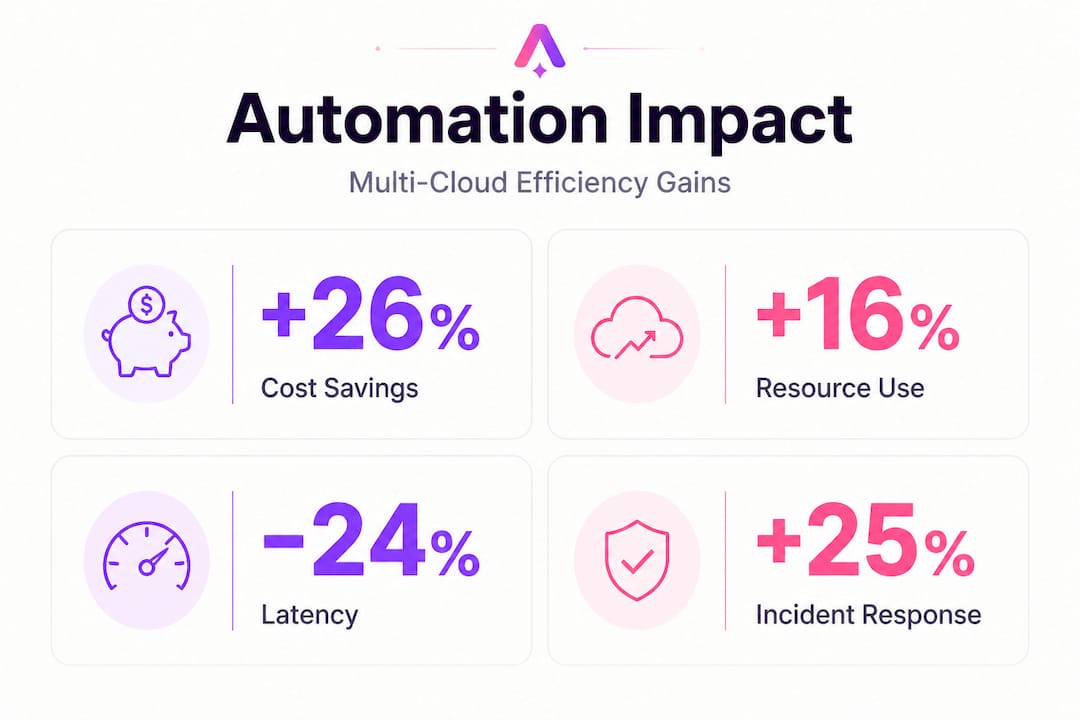
| Resource utilization | 62% | 78% | +16 percentage points |
| Load balance score | 0.71 | 0.88 | +24% |
| Average latency | 245ms | 185ms | 24.5% reduction |
These are not marginal gains. A 24.5% reduction in latency directly affects user experience, SLA compliance, and the cost of serving your infrastructure. A load balance improvement from 0.71 to 0.88 means your compute resources are being used far more efficiently, which translates directly to cost savings.
💰 Multi-cloud cost optimization in practice
A real-world multi-cloud cost optimization case study showed a 26% reduction in total cloud spend across three major providers:
| Cloud provider | Cost reduction |
|---|---|
| AWS | 24% |
| GCP | 28% |
| Azure | 22% |
On top of that, compute utilization jumped from a range of 30 to 35% all the way up to 50 to 60%. That is a massive improvement. It means organizations were previously paying for compute capacity that sat largely idle. Automation workflows brought intelligent right-sizing, predictive scaling, and workload scheduling that matched resource allocation to actual demand.
The pattern here is consistent: manual multi-cloud management leads to over-provisioning and waste. Automation workflows paired with AI-driven cloud monitoring close that gap systematically.
What about the broader trend? Looking at DevOps trends shaping 2026, AI-powered orchestration is emerging as a core competency rather than a differentiator. Organizations that build this capability now are setting themselves up for a compounding advantage as cloud complexity continues to grow.
🤖 Intelligent orchestration: From automation to agentic workflows
Basic automation handles known, repeatable tasks. Agentic workflows handle unknowns. That is the fundamental shift happening right now in cloud operations.
The shift to AI-agentic workflows scales to machine speed and supports persistent agents that maintain context across long-running operations. Forrester reinforces this, emphasizing intelligent workload automation that goes well beyond simple scheduling.
Here is how traditional automation stacks up against agentic AI workflows:
| Capability | Traditional automation | Agentic AI workflows |
|---|---|---|
| Decision-making | Static rules | Dynamic, context-aware |
| Failure handling | Alert and wait | Detect, remediate, escalate |
| Scale | Fixed triggers | Machine-speed, adaptive |
| Context retention | None | Persistent across sessions |
| Cross-system coordination | Manual or scripted | Multi-agent orchestration |
| Continuous improvement | Manual updates | Embedded learning loops |
The difference is not incremental. It is architectural. Traditional automation assumes you can anticipate every scenario in advance. Agentic workflows assume you cannot, and they build in the intelligence to handle edge cases without human intervention.
Here are the key behaviors that define agentic workflows in practice:
- 🟢 Persistent agents that maintain context across incidents and learn from previous resolutions
- 🟢 Machine-speed response to anomalies without waiting for a human to notice and react
- 🟢 Cross-system orchestration that coordinates actions across your cloud providers, observability tools, and CI/CD pipeline simultaneously
- 🟢 Continuous improvement loops that update workflow logic based on outcome data
One of the most underappreciated risks in agentic automation is workflow drift. Over time, as your infrastructure changes, a workflow that was well-designed six months ago may no longer match reality. Embed continuous improvement mechanisms and regular workflow audits into your operating model from day one.
Pro Tip: Map your automation connectors before designing workflows. Knowing exactly which systems can communicate with each other tells you what orchestration is actually possible versus what requires custom integration work.
Security and observability are not optional features in agentic workflows. They are foundational requirements. When an autonomous agent takes an action on your infrastructure, you need to know what it did, why it did it, and whether it had permission. Your DevOps platform with AI automation must provide full audit trails and real-time observability as a baseline, not an add-on.
The uncomfortable truth: Automation workflows require reinvention, not incremental change
Here is something we see consistently, and it is worth being direct about it. Most organizations approach automation the same way they approach software updates. They layer it on top of existing processes and expect transformational results. They do not get them.
The uncomfortable reality is that AI excels at reshaping entire workflows, not patching individual tasks. If your incident response process requires five manual handoffs between teams, automating two of those handoffs does not give you a transformed process. It gives you a slightly faster broken process.
Real efficiency gains require redesigning the workflow from end to end. That means asking hard questions: Why does this handoff exist at all? Can the context be passed automatically? Can the decision be made by an AI agent? Can we eliminate the step entirely?
This is not just a technical challenge. It is a cultural one. Engineering teams often have deep ownership of specific tools and processes. Redesigning those workflows feels threatening. Change management is as important as the technical implementation, and most automation projects underinvest in it dramatically.
We also see organizations underestimate the observability requirement. You cannot improve what you cannot measure. Before you redesign a workflow, you need baseline telemetry. After you deploy the new workflow, you need continuous monitoring to know whether it is performing better or drifting toward failure. Understanding the pitfalls of AI agents before you commit to a specific architecture can save your team months of painful rework.
The organizations that succeed with automation workflows treat them as living systems. They assign ownership. They build feedback loops. They review performance data regularly and update workflow logic as conditions change. This operational discipline is what separates teams that get lasting gains from teams that run a successful pilot and then watch performance plateau.
The bottom line: if your automation strategy is "add AI to what we already do," you will get marginal returns. If your strategy is "redesign how we work with AI as a core assumption," you will get the efficiency gains that the benchmarks promise.
🚀 Next steps: Unlocking automation success with Argonix
Understanding the principles is one thing. Having the tools to execute is another. If your team is ready to move beyond manual ops and fragmented tooling, Argonix was built exactly for this moment.
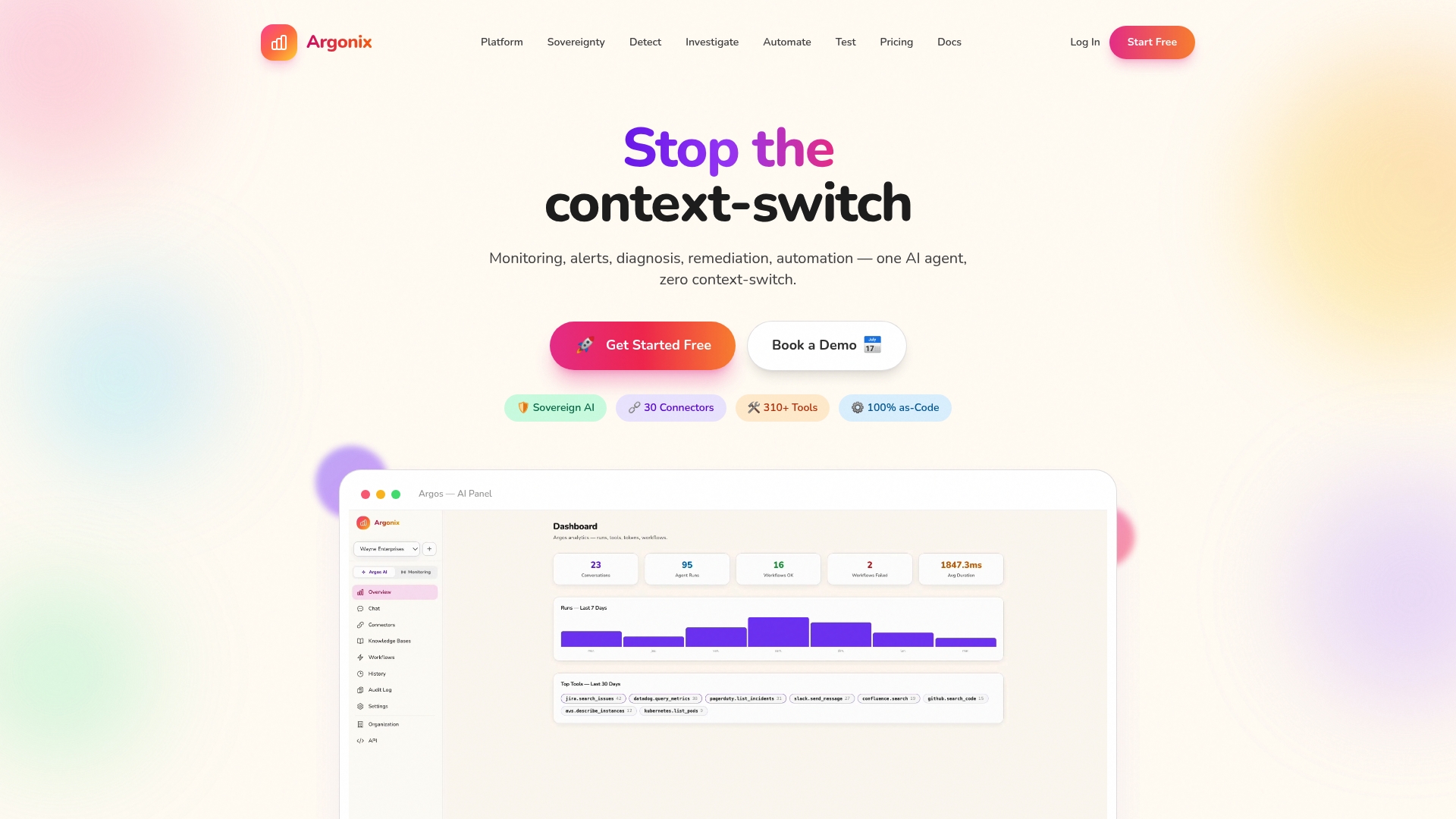
Argonix brings together AI-driven incident response, infrastructure monitoring, and GitOps automation into a single platform with over 40 connectors across cloud providers, observability tools, CI/CD systems, and communication platforms. You get automated root cause analysis, self-healing workflows, and agentic AI that operates at machine speed without sacrificing visibility or control.
Whether you need to tighten your AI incident response process, get full clarity with infrastructure monitoring tools, or streamline deployments with a GitOps automation platform, Argonix connects the dots across your entire multi-cloud stack. Your team focuses on the work that actually needs human judgment. Argonix handles the rest.
#CloudOps #MultiCloud #AutomationWorkflows #DevOps #AIAgents #Argonix #InfrastructureAutomation
Frequently asked questions
How do automation workflows improve operational efficiency in multi-cloud environments?
They centralize control, reduce manual effort, and enable real-time optimization across cloud resources. Benchmarks show that AI-driven workflows improve resource utilization from 62% to 78% and cut latency by over 24%.
What is agentic AI in the context of automation workflows?
Agentic AI refers to persistent, autonomous agents capable of dynamic decision-making and self-healing across complex workflows. These systems go far beyond scheduled scripts by adapting to real-time conditions without requiring human input at every decision point.
Can automation workflows reduce multi-cloud costs?
Yes, significantly. Case studies show up to a 26% reduction in total multi-cloud spend across AWS, GCP, and Azure, along with compute utilization improving from 30 to 35% all the way up to 50 to 60%.
What's the biggest mistake IT leaders make with automation?
They bolt automation onto existing processes instead of redesigning workflows end to end. Research confirms that AI delivers transformational results when it reshapes entire workflows, not when it is applied to individual isolated tasks.
How does orchestration differ from simple automation?
Orchestration coordinates multiple automated processes with intelligence and adaptability, while basic automation handles static, predetermined tasks. Think of simple automation as a single instrument and orchestration as the conductor coordinating the entire operational ensemble in real time.